How to Choose the Right Storage Solutions for Your Business?

Time:2026-11-13 Author:Henry
0%

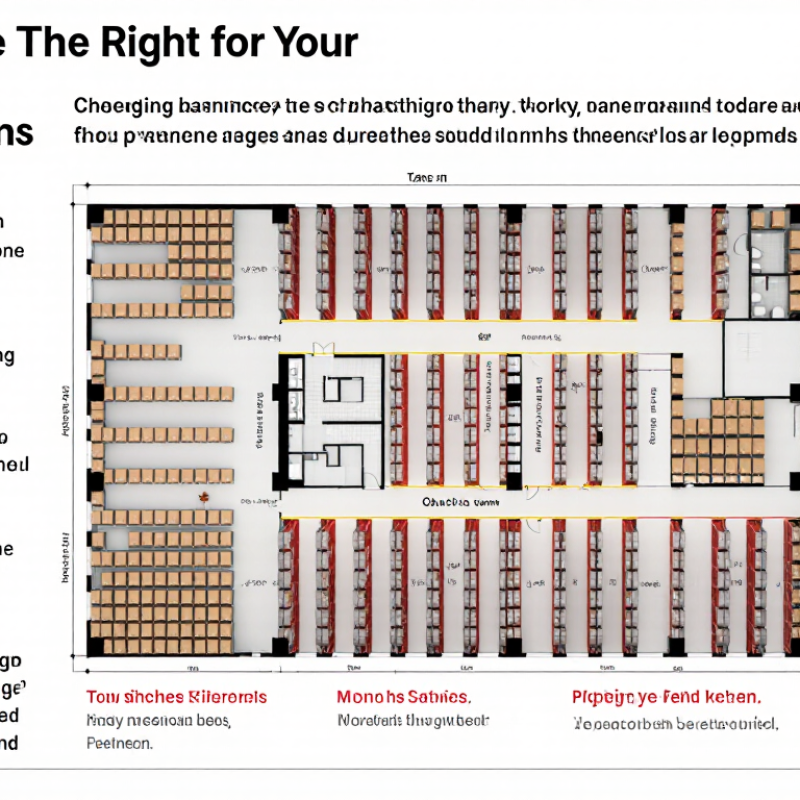
Choosing the right Storage Solutions can shape how quickly your team finds stock, fulfills orders, and uses floor space. A rack that looks efficient on a plan may slow workers when fast-moving items sit behind bulky cartons. Good decisions begin with evidence: inventory size, turnover, product dimensions, handling equipment, and growth forecasts.

Taiichi Ohno, the Toyota production-system architect, is often quoted as saying, “Where there is no standard, there can be no kaizen.” The principle matters here. A storage layout should support clear routines and measurable improvement, not just look orderly during a tour.

Before choosing shelving, pallet racking, bins, or automated systems, compare access frequency, load limits, aisle widths, and replenishment paths. Check how staff move actual cartons through the space, including at busy times. Ask whether the layout can adapt when product lines change. Small details count: label visibility, safe clearances, and the distance between receiving and dispatch.

A spreadsheet can help, but it cannot reveal every daily snag. Walk the floor with the people who use it. Then test one proposed change and track retrieval time, errors, and space use. Be cautious with promised savings; they depend on your building, stock, and work patterns. The first plan may be wrong. That is useful to learn early. This guide outlines the questions that help businesses choose capacity that works today and remains practical as needs change.
How to Choose the Right Storage Solutions for Your Business?

Define Capacity, Access, Compliance, and Recovery Requirements

How to Choose the Right Storage Solutions for Your Business?

Define Capacity, Access, Compliance, and Recovery Requirements

Start with the data your business actually keeps. Estimate current storage use, then project growth over the next few years. Include working files, email, backups, and archived records. A small design team handling large video files may need more capacity than a much larger office storing documents. Leave room for growth, but avoid paying for empty space based on optimistic guesses.

Access needs shape the choice. Ask who needs each dataset, from which locations, and how quickly files must open. A shared folder may suit everyday documents, while large project files may need faster storage. Test the solution with real workloads; a quick demo can hide delays during busy periods. Small details matter. Document access permissions and review them when staff roles change.

Compliance and recovery deserve equal attention. Identify the rules that apply to your industry and locations, then confirm how the provider handles encryption, access logs, retention, and data residency. Requirements vary, so verify details with qualified advisers rather than relying on a sales summary. Set recovery targets for acceptable data loss and downtime. Keep a separate backup, and test restoring a sample file. Test it. A backup that has never been restored is an assumption, not a recovery plan. One imperfect exercise may reveal gaps before a real outage does.

Compare Cloud, On-Premises, and Hybrid: 73% Use Hybrid Cloud (Flexera, 2024)

Choosing storage is less about picking a winner and more about matching data to daily work. Flexera’s 2024 report found that 73% of respondents use a hybrid cloud approach. That figure reflects a common balance: cloud services can scale quickly, while on-premises systems keep selected data and workloads close to staff. The statistic is useful context, not proof that hybrid suits every business.

A hybrid setup might keep large design files on a local server for fast office access, while sending backups to cloud storage. Cloud capacity can also help during seasonal demand, without requiring permanent investment in extra hardware. On-premises storage offers direct control, but hardware needs maintenance, power, and a recovery plan. Cloud storage reduces some equipment burdens, yet costs and access speeds can vary. Not always simple.

The trade-off is often operational: staff may need to manage separate permissions, backup schedules, and billing. A small team can overlook an old shared folder or assume a backup is working without testing a restore. That happens. Before choosing, list which files need fast access, who needs them, and how long they must be kept. Then test a realistic recovery, including a slow connection and an unavailable device. Hybrid can be flexible, but only when ownership and routine checks are clear.

How Businesses Use Hybrid Cloud Storage

Hybrid cloud combines on-premises infrastructure with cloud services. In Flexera’s 2024 survey, 73% of respondents reported using a hybrid cloud approach.

The 27% figure is the remainder of respondents who did not report using a hybrid cloud approach (100% − 73%); it is not a separate storage model.

Source: Flexera, 2024 State of the Cloud Report.

Calculate Total Cost of Ownership, Including Migration and Egress Fees

Choosing storage by monthly price alone can distort your budget. A low-cost plan may charge separately for migration, data retrieval, and outbound transfers. Estimate these costs over the same period you expect to use the system, such as three years.

Start with realistic data volumes. If your team moves 8 terabytes into storage, ask whether migration is billed by volume, request, or labor. Then estimate how often staff will retrieve files and how much data they may transfer to other systems. A few routine exports can create meaningful egress fees. Small charges matter. Ask for a written fee schedule, and model both an ordinary month and a busy one. Include testing and temporary overlap if your old and new systems run together.

Compare the total, not just the headline rate. Add storage, migration, retrieval, egress, support, and any required network changes. Check whether fees change as usage grows, and confirm how billing is measured. A spreadsheet helps, but its assumptions need review; retrieval patterns are often less predictable than teams expect. I have seen neat forecasts miss the messy part: people keep accessing older files. Revisit the estimate after a pilot, using actual transfer and retrieval logs before committing to a longer term.

Assess Security Exposure: Average Breach Cost Reached $4.88M (IBM, 2024)

Choosing business storage means assessing more than capacity and monthly cost. A 2024 global breach-cost study estimated the average data breach at $4.88 million. That figure is an average, not a forecast for every company. Still, it shows why access controls, recovery options, and data location belong in the buying decision.

Map what each system will hold: customer records, payroll files, design drafts, or routine backups. Then ask who can open, change, and delete each file. A shared folder with broad permissions may feel convenient until a staff account is compromised. Small gaps matter. Check for encryption during transfer and storage, multi-factor sign-in, audit logs, and tested backup restoration. A backup that has never been restored is only a promise.

Match safeguards to likely exposure. Sensitive records may need tighter access and shorter permission lists; working files may need fast collaboration. Ask how quickly the provider can notify you of an incident, and how your data can be exported if you leave. Keep one person responsible for reviewing permissions each quarter. That schedule may slip during busy months, so make the review part of an existing operations meeting. No storage setup removes risk, but clear controls can limit who is exposed and how long disruption lasts.

Pilot Performance, Backup Recovery, and Scalability Before Choosing a Vendor

A storage pilot should resemble a working day, not a tidy demonstration. Load a representative set of files, databases, and virtual machines, then simulate busy periods and concurrent users. Measure latency and throughput while ordinary tasks run. A system can look fast with one test file and slow down when several teams access data at once. Real traffic matters. Record results, including failures and delays; memory alone is not a useful benchmark.

Test backup recovery before comparing vendors. Restore a single file, a complete application, and a larger data set, and time each step. Check whether permissions, timestamps, and dependencies return correctly. Restore it. Compare recovery times with the business’s actual tolerance for downtime and data loss. A successful backup job does not prove that recovery will work. I would also repeat a restore test; one clean result can be luck.

Finally, test growth. Add capacity or workload during the pilot and observe performance, administration effort, and any service interruption. Ask what happens when storage approaches its limits, and request clear documentation for expansion and recovery procedures. Leave room. Forecasts are imperfect, and teams often underestimate how quickly data grows. A useful evaluation records both the smooth parts and the awkward ones, then asks vendors to explain the gaps with evidence.

FAQS

How should a business estimate its storage capacity needs?

Count working files, email, backups, and archived records. Project growth over several years, but avoid paying for space based on optimistic guesses.

What access details should a business review?

Check who needs each dataset, where they work, and how quickly files must open. Test shared folders and large project files with real workloads. Small details matter.

Which compliance and security requirements should be checked?

Confirm applicable rules and review encryption, access logs, retention, and data residency. Requirements vary, so verify details with qualified advisers.

How can a business know whether its backups will work?

Set acceptable downtime and data-loss targets. Restore a sample file, then test a full application or larger dataset. Test it. One successful restore may be luck.

What costs belong in a storage budget?

Include storage, migration, retrieval, outbound transfers, support, and network changes. Model costs over the expected contract period, not just one month.

How can a business estimate transfer and retrieval fees?

Ask for a written fee schedule. Model an ordinary month and a busy month, including exports and temporary overlap with the old system. Small charges matter.

What should a storage pilot measure?

Use representative files, databases, and virtual machines. Measure speed and delays during busy periods with multiple users. Real traffic matters.

How should a business test whether storage can scale?

Add capacity or workload during the pilot. Record performance, administrative effort, and service interruptions. Forecasts are imperfect; teams often underestimate data growth.

Conclusion

Choosing the right Storage Solutions starts with understanding what your business needs to store, how quickly employees must access it, which compliance requirements apply, and how soon data must be recovered after an outage. Cloud, on-premises, and hybrid approaches each offer different balances of control, flexibility, and cost. Hybrid storage is widely used, with 73% of organizations adopting it, but the best fit depends on your workloads and operating priorities.

Compare total ownership costs, including setup, migration, ongoing management, and data retrieval or egress fees. Security also deserves close attention: the average cost of a data breach reached $4.88 million in 2024, underscoring the importance of safeguards and recovery planning. Before committing, run a pilot to test performance, backup restoration, and scalability under realistic workloads. These steps help you choose a solution that meets current needs while supporting future growth.

Henry

Henry

Henry is a dedicated marketing professional with a profound expertise in the company's offerings. With years of experience in the industry, he possesses an impressive understanding of the market dynamics and consumer behaviors that drive success. Henry is committed to sharing his insights through......